
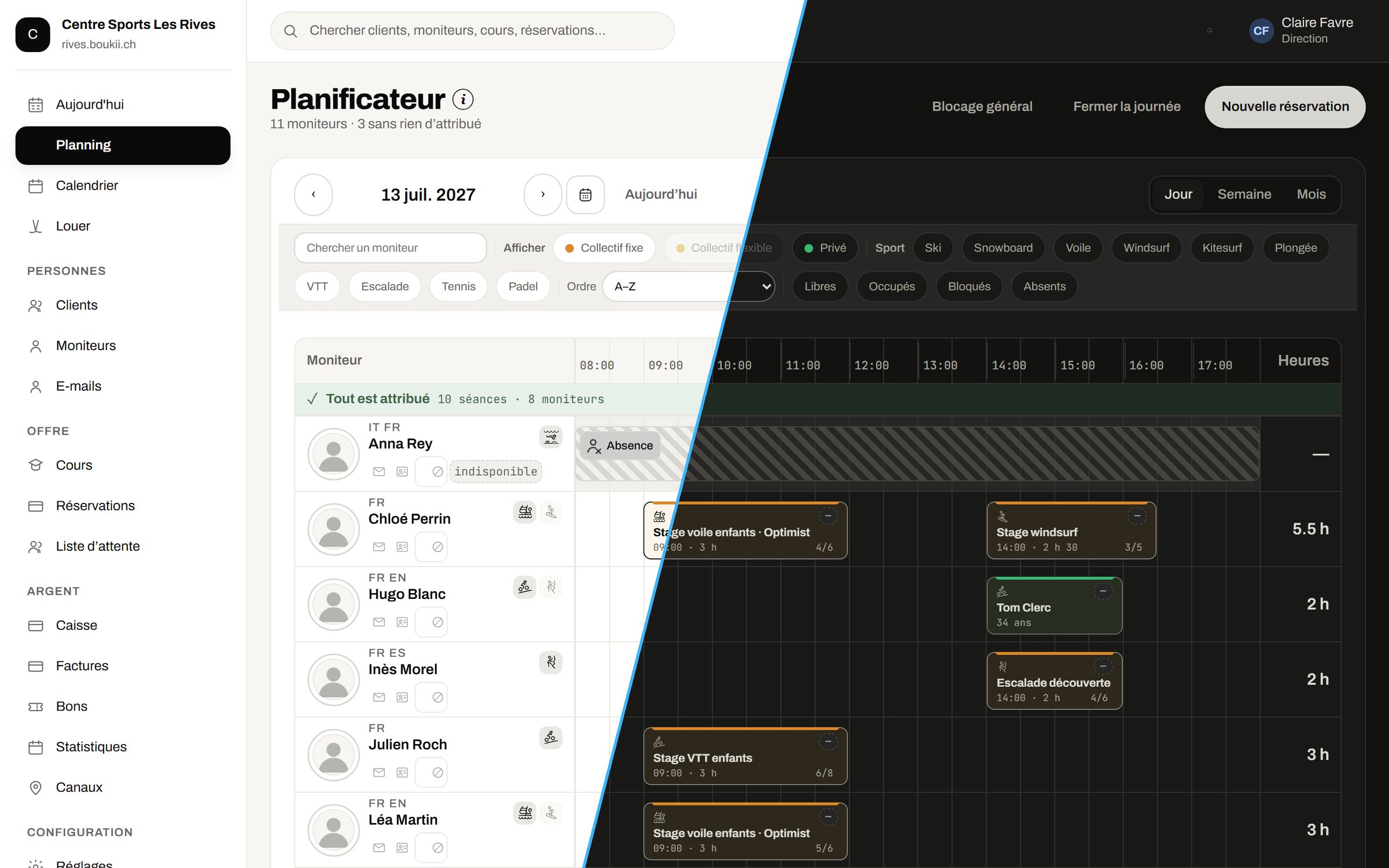
All your lessons on one schedule
A schedule by day, week or month, with all your instructors.
- Assign lessons without an instructor automatically, then adjust by drag and drop
- Search for a lesson, an instructor or a customer
- Keep the same instructor for a group all week
- See your resort’s weather in the calendar (snow sports)
Day to day
What Boukii does for you, every day
The same instructor all week
Boukii keeps the same instructor for a group from the first day to the last.
Replace an absent instructor
You release their lessons in one click and Boukii shows you who is free to take them over.
Enter an absence without touching the lessons
An absence or a block can only be placed in a free slot: your lessons stay where they are.
Close a day
The lessons go into a “To reschedule” list. If the weather improves, you cancel the closure in one click.
Move a private lesson
You change the day, time or instructor: Boukii checks everyone is free, updates the booking and can let the customer know by e-mail.
Five languages
Boukii and the booking page are available in French, German, Italian, English and Spanish.
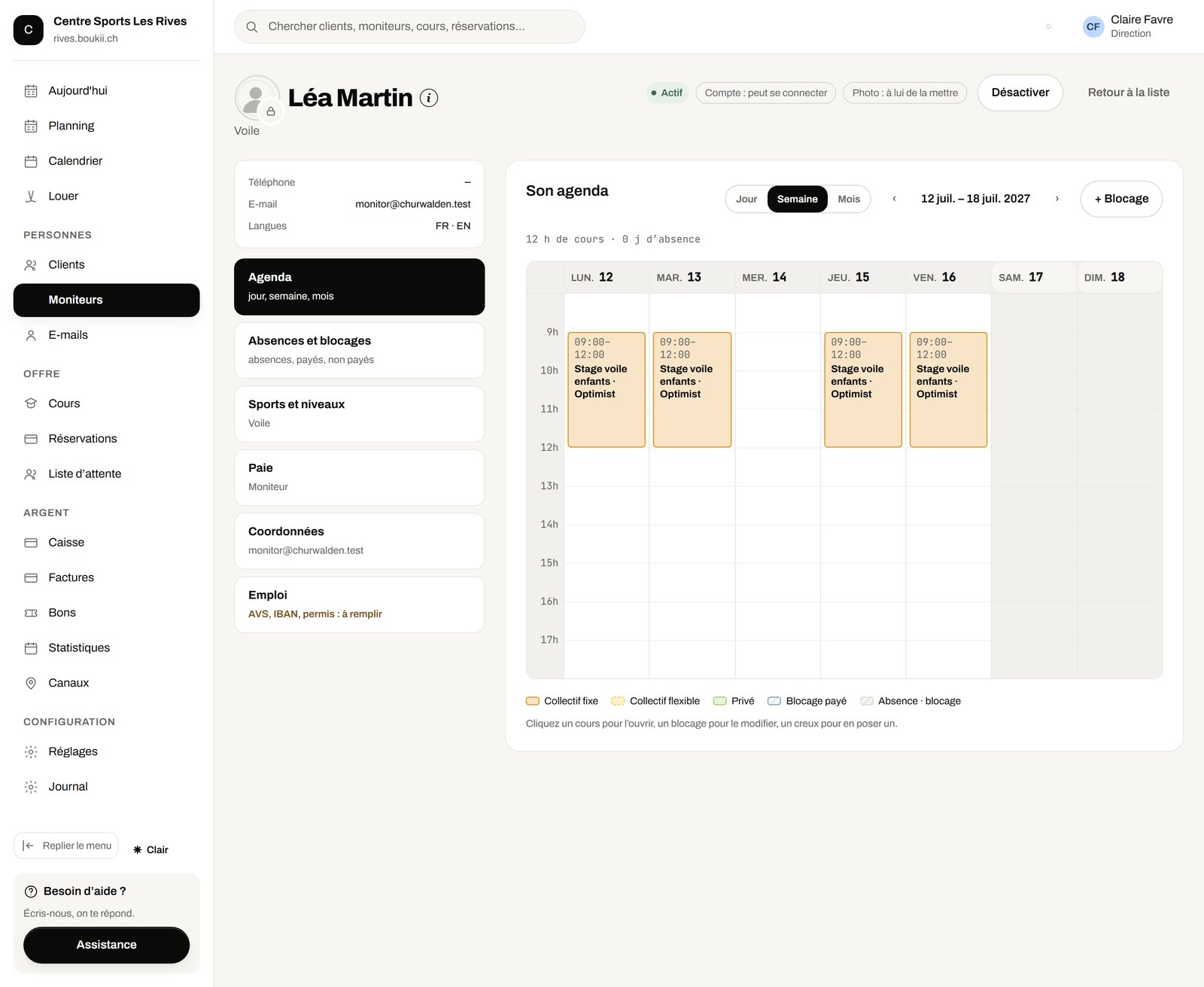
Each instructor’s profile
A profile with their calendar, their authorised sports and their pay.
- Authorise each instructor sport by sport
- See their calendar, absences and blocks
- Calculate their pay with the Pay module
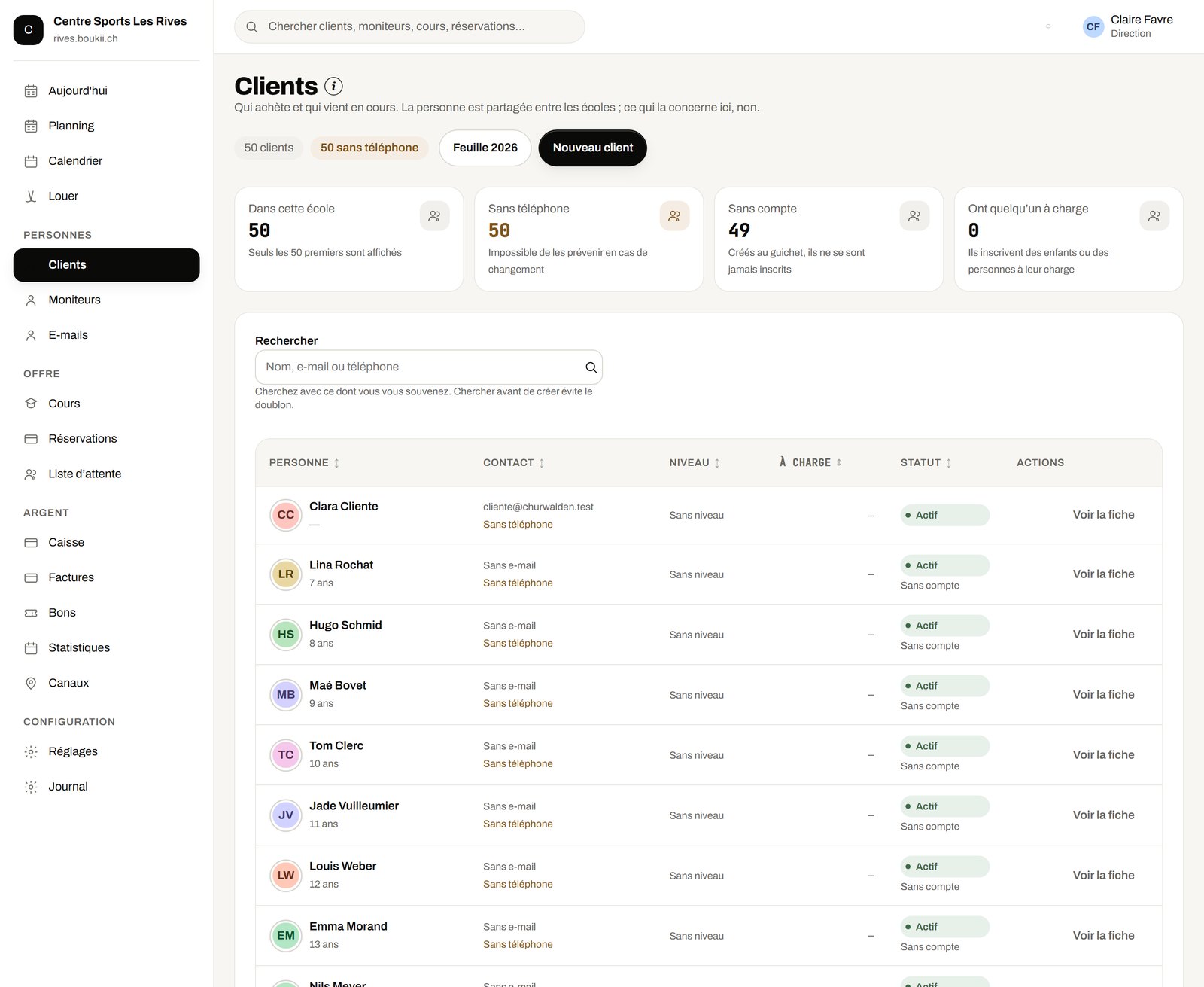
Your customers and your season
- Find each customer with their bookings and payments
- Export your customer list
- Send automatic e-mails to customers
- Follow the season in the statistics
Get paid anywhere
Online, by payment link or with the portable wallee terminal: at the desk, on the slopes, on the beach or at the meeting point.
- Get paid when customers book online
- Send a payment link by email
- Get paid anywhere with the portable wallee terminal

Modules
What you add, when you need it
Each module is added to your plan. With School, Pro and Unlimited, some are already included.
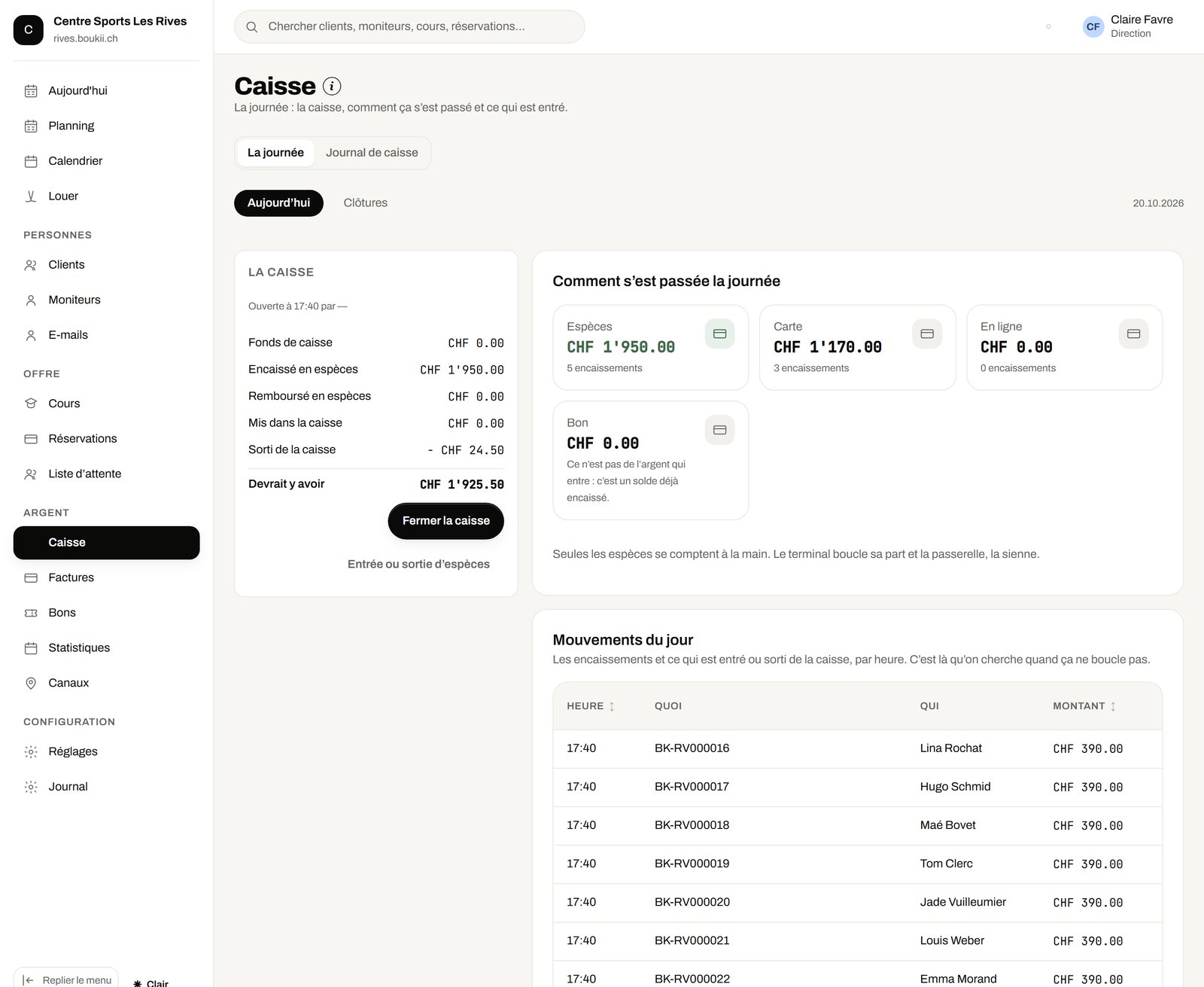
Till and invoices
The front-desk till is closed with the counted amount, and each booking can have its own invoice with a Swiss QR-bill.
- Open the till with its float, close it with the counted amount: Boukii shows the expected amount and the difference, and keeps the closing record
- Take payment at the front desk in cash, by card or with a voucher
- See the till journal, day by day and by payment method
- Issue the invoice for a booking, as a PDF with a Swiss QR-bill, numbered automatically
- Cancel an invoice with its reason: the number is never reused
- Refund a payment
Vouchers, promo codes and waiting list
Discounts that manage themselves, and full lessons that fill up when a place becomes free.
- Create a voucher for an amount, with its code and expiry date
- Use it in one go or several times, at the front desk or on a booking, and track its balance
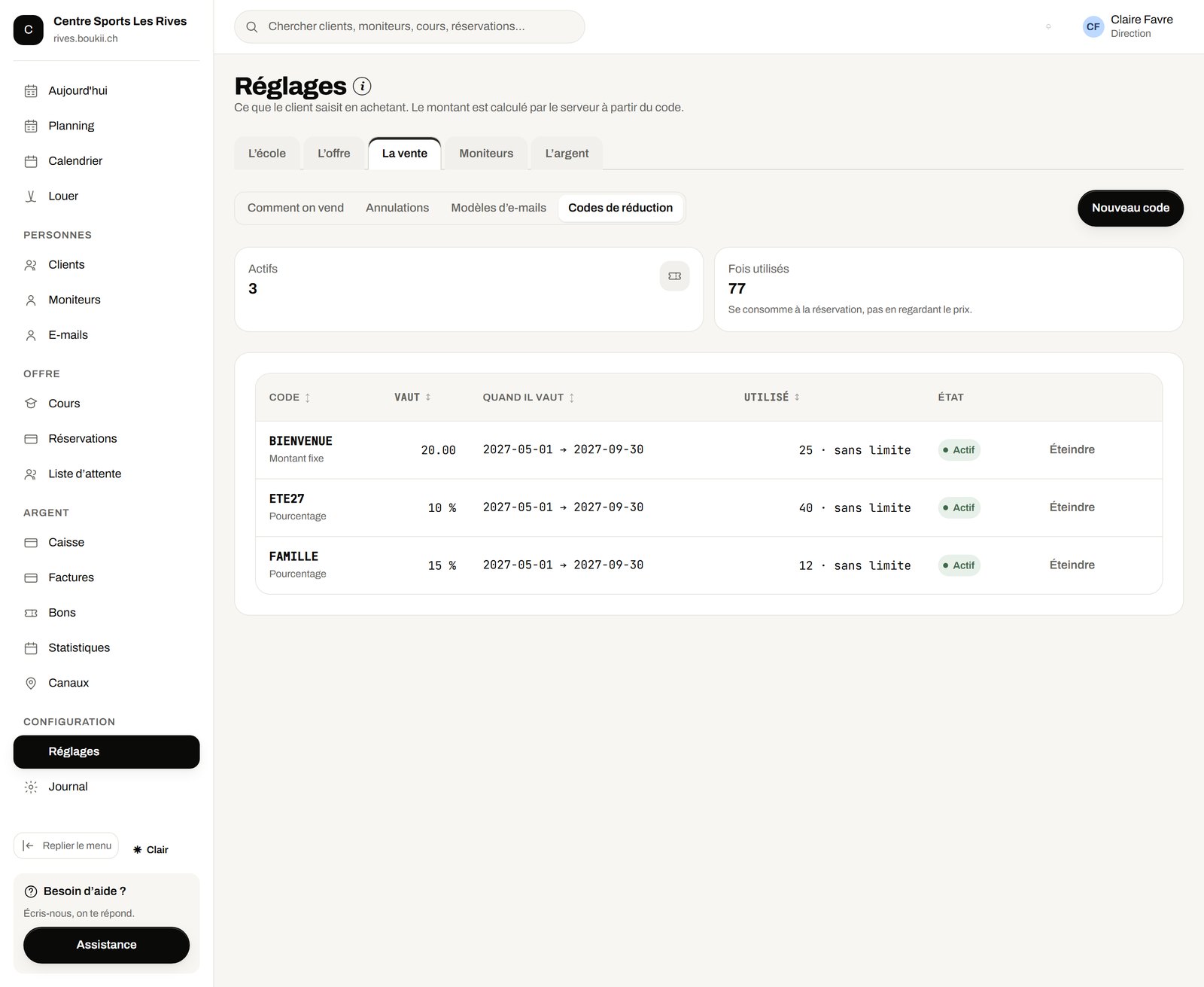
- Create promo codes in percent or in francs, with dates and a number of uses
- Let customers enter their code when they book online
- Open a waiting list on full lessons: when a place becomes free, Boukii notifies those on the list by e-mail
Instructor pay
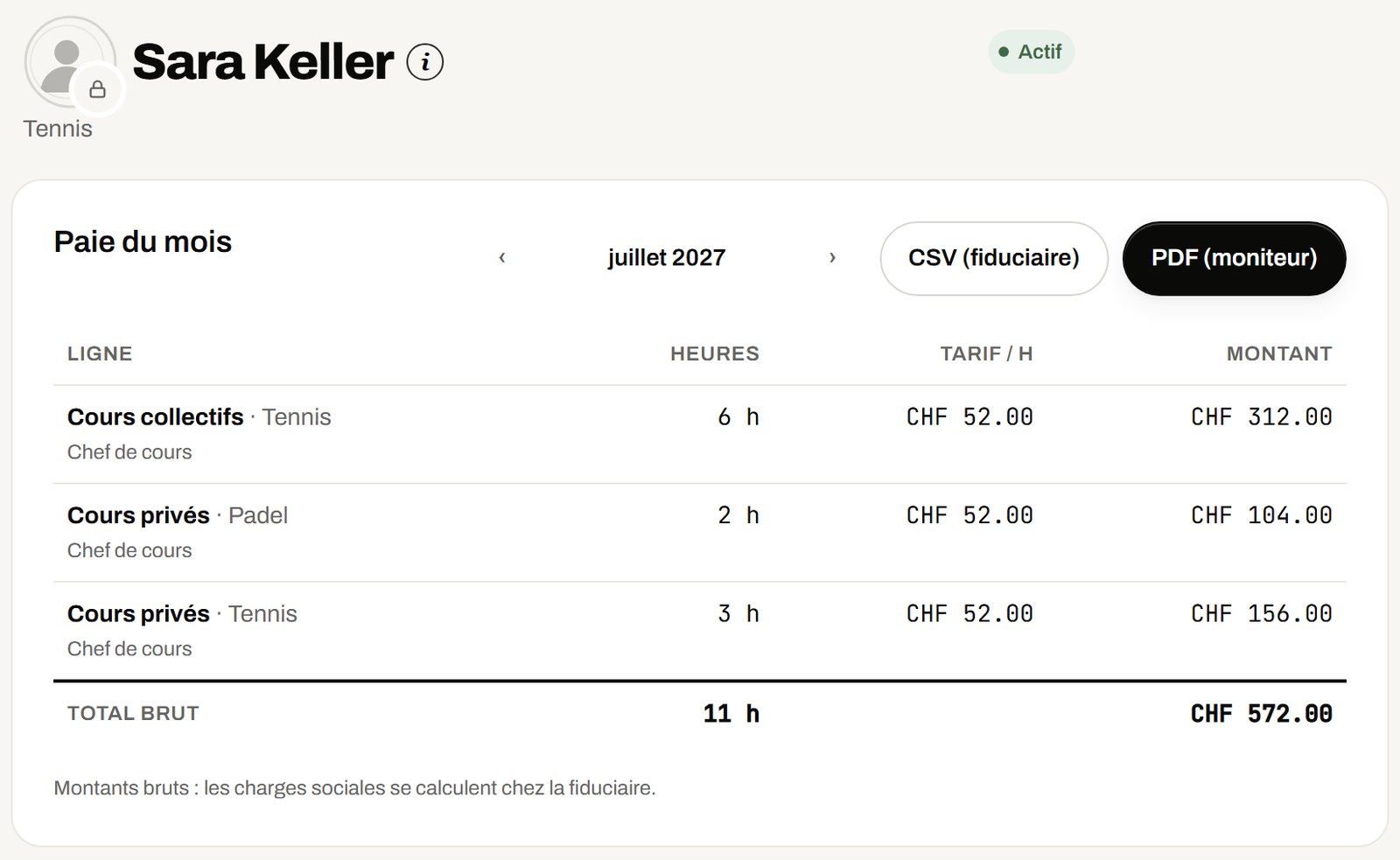
Each instructor has their own rate, and Boukii calculates their monthly pay statement from their lessons.
- Create your school’s pay levels, and give each instructor their level, sport by sport
- See the monthly statement: hours by lesson type and by sport, rate, amount and gross total
- Pay blocks (training, on-call) at their own rate; absences are not paid
- Export the statement as PDF for the instructor, or as CSV for your accountant
Several schools in one account
Another school or another location, with the same account: you choose the school when you log in.
- Give each school its own booking page at its own address, with its logo and settings
- Keep each school’s payments and its own invoice series separate
- Find the same customer or instructor across several schools, without creating duplicates
Nothing is mandatory
You switch on what you use
Everything is off at the start. You switch on each feature when your school needs it, and switch it off if you no longer use it.
Frequently asked questions